Slicer

Slicer

One photo. Many posts.

Download on the App Store

Free on iPhone and iPad. iOS 17 or later. No account, nothing collected.

Slicer on iPad and iPhone: rice terraces under a nine-tile grid, and a night street being cut into rows

Slicer cuts a photo into equal parts that still read as one picture: columns for a carousel you swipe, rows for a post you scroll, or a ready-made shape for Instagram and Threads.

A shape for every feed

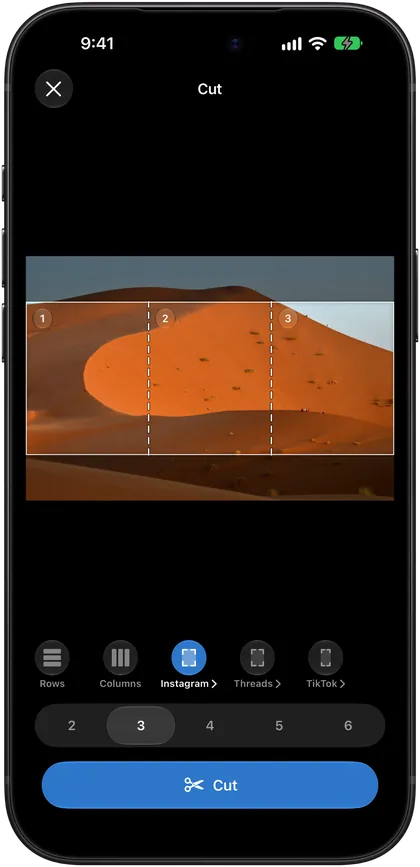
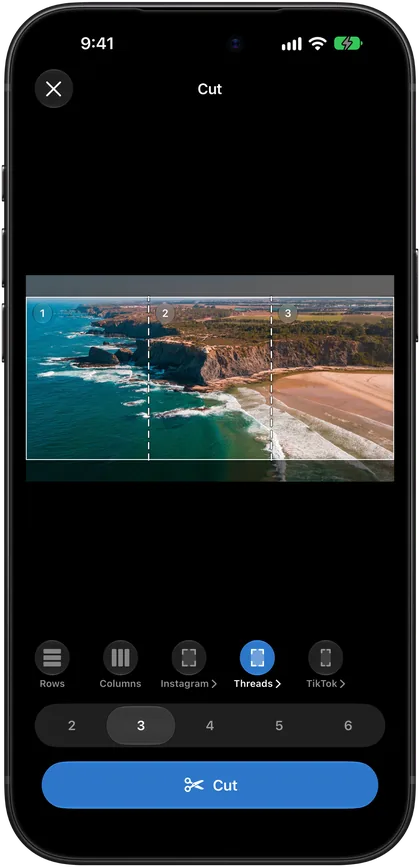
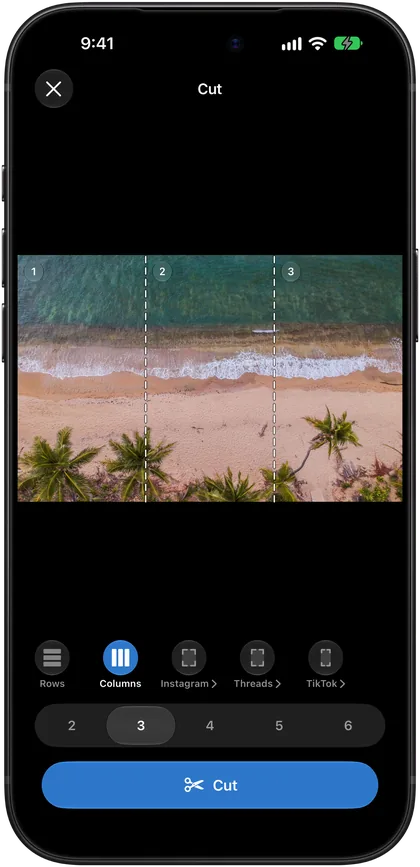
Rows and columns use the whole photo. A ready-made format lays a grid of a fixed shape over it, and the parts come out in that shape.
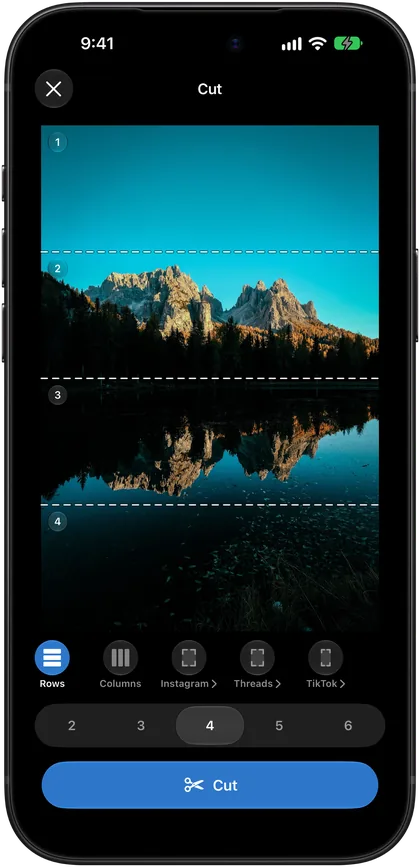
  1. Rows
  2. Columns
  3. Instagram 4:5
  4. Threads 3:4
  5. Profile grid
A mountain lake cut into four rowsA beach cut into three columnsA desert dune in the Instagram 4:5 formatA coast in the Threads 3:4 formatRice terraces in the Instagram profile grid, nine tiles

Equal to the pixel

Parts are cut from the original pixels. Nothing is resampled, nothing loses quality.

  • Save every part to Photos in one tap, or one at a time
  • Share all the parts at once, in order
Slicer on iPad: a mountain lake cut into four equal parts, ready to save

Every cut, kept

Each photo stays in the gallery with its format, its number of parts and the date. Come back to save, share or cut it again.

  • Delete what you are done with, and undo it if you change your mind
  • Open a photo in Slicer from Photos or Files

Your photos stay yours

Nothing goes online
No account, no network requests, nothing collected. Slicer works offline.
Add-only access to Photos
Slicer adds the parts to your library and never reads what is already there.
Shortcuts and Siri
A Cut Photo action for Shortcuts, and on iOS 18 a control for Control Center and the Action button.
Six languages
With VoiceOver, Voice Control and larger text. Details on the accessibility page.

Free on the App Store

No sign-up. Pick a photo, choose a shape and tap Cut.

Download on the App Store

Questions

How do I cut a photo?
Tap Select Photo, or open a photo in Slicer from Photos or Files. Choose rows, columns or a format, check the cuts drawn on the photo and tap Cut.
Which formats are built in?
Rows and columns, Instagram carousels in 1:1 and 4:5, the profile grid three tiles across, a tall 3:4 format for Threads and full-screen 9:16.
Do the parts lose quality?
No. Parts are cut from the original pixels, and nothing is scaled or recompressed. Photos with transparency are saved as PNG, the rest as maximum-quality JPEG.
Why doesn't Slicer show my photo library?
Because it never reads it. You pick a photo in the system picker, and Slicer asks only for add-only access, when you save parts to Photos.

All questions and support

Need help or found a bug?

Write to support [at] klvr.dev. I'll read your message and be sure to reply.